Tip #004
·
Chrome Picture-in-Picture: A Simple Productivity Tip
Use Chrome Picture-in-Picture to keep videos floating while you work in another tab, reducing tab switching and making multitasking easier.
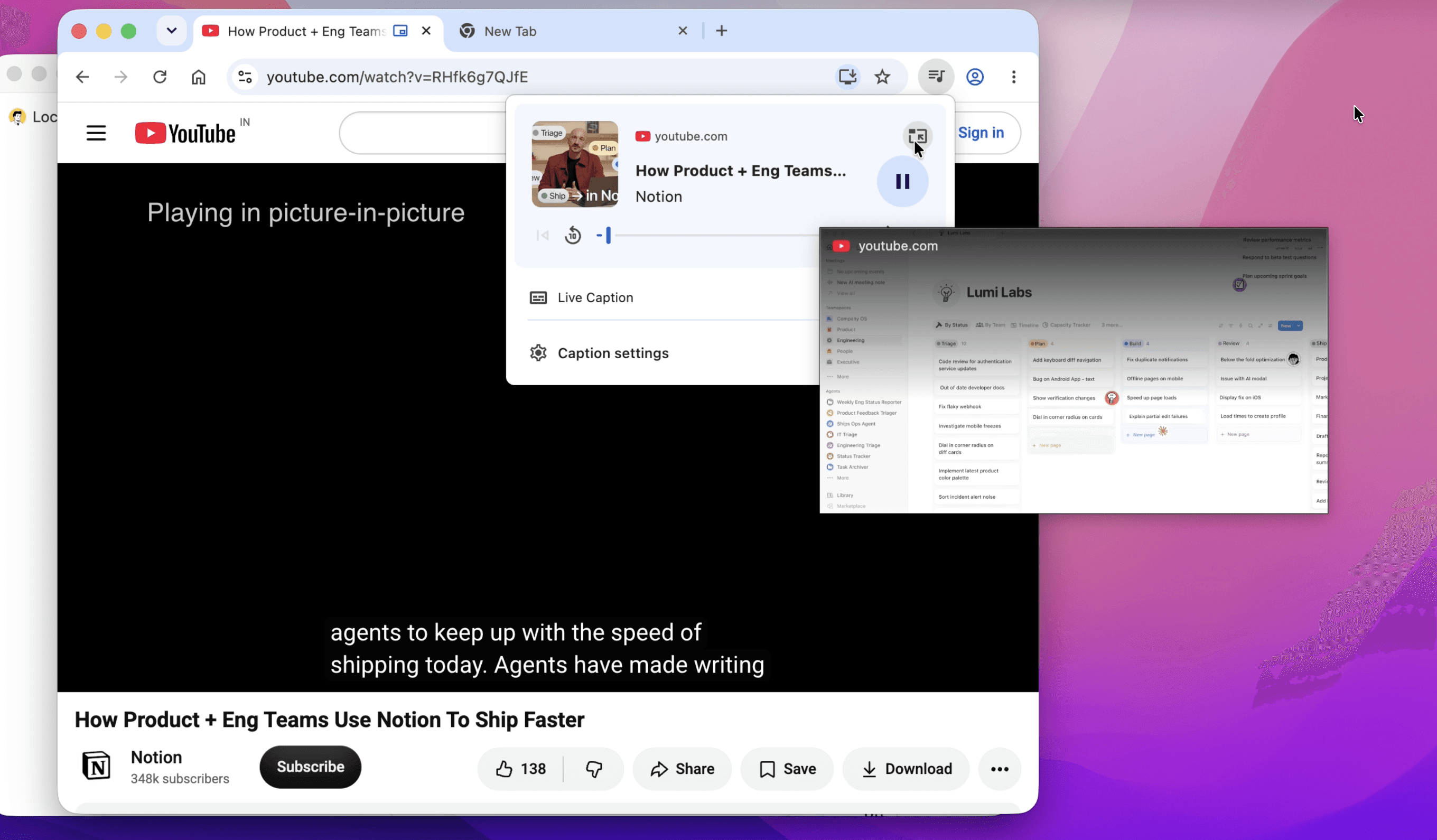
A tiny Chrome feature that can make multitasking easier. 👀Chrome’s Picture-in-Picture mode lets you keep a video in a small floating window while you work in another tab or application. This is useful when you want to follow a tutorial, watch a reference video, listen to a presentation, or keep an important video visible without constantly switching tabs.Instead of jumping between your work and the video, keep the video floating on screen while you continue working. It’s a simple way to reduce unnecessary tab switching and keep the information you need within view.The idea is simple: keep the content you need visible while you focus on the task you’re actually doing.Small workflow improvements like this can reduce friction and make your daily work feel a little easier.